브라우저 플러그인 가이드
이 가이드는 AiToEarn 브라우저 플러그인을 설치하고 사용하는 방법을 안내하여 소셜 미디어 계정 관리와 콘텐츠 게시를 더 편리하게 할 수 있도록 도와줍니다.
Recommended Browsers
플러그인 설치
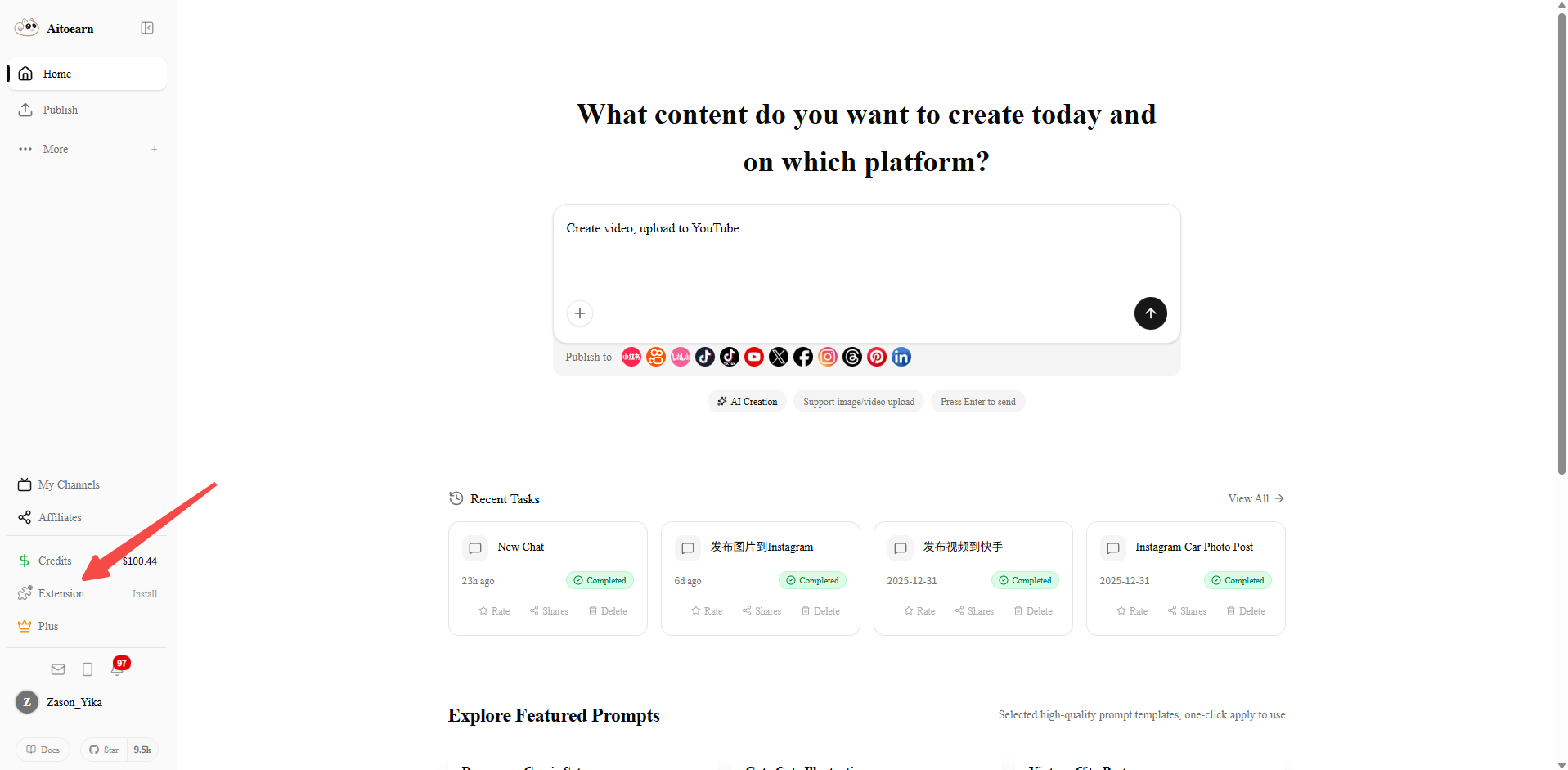
1단계: 플러그인 관리 대화상자 열기
AiToEarn 플랫폼 페이지에서 오른쪽 상단의 플러그인 아이콘을 클릭하여 브라우저 플러그인 관리 대화상자를 엽니다.
2단계: 플러그인 다운로드
대화상자에서 다운로드 방법을 선택하고 클릭하여 플러그인을 다운로드합니다.
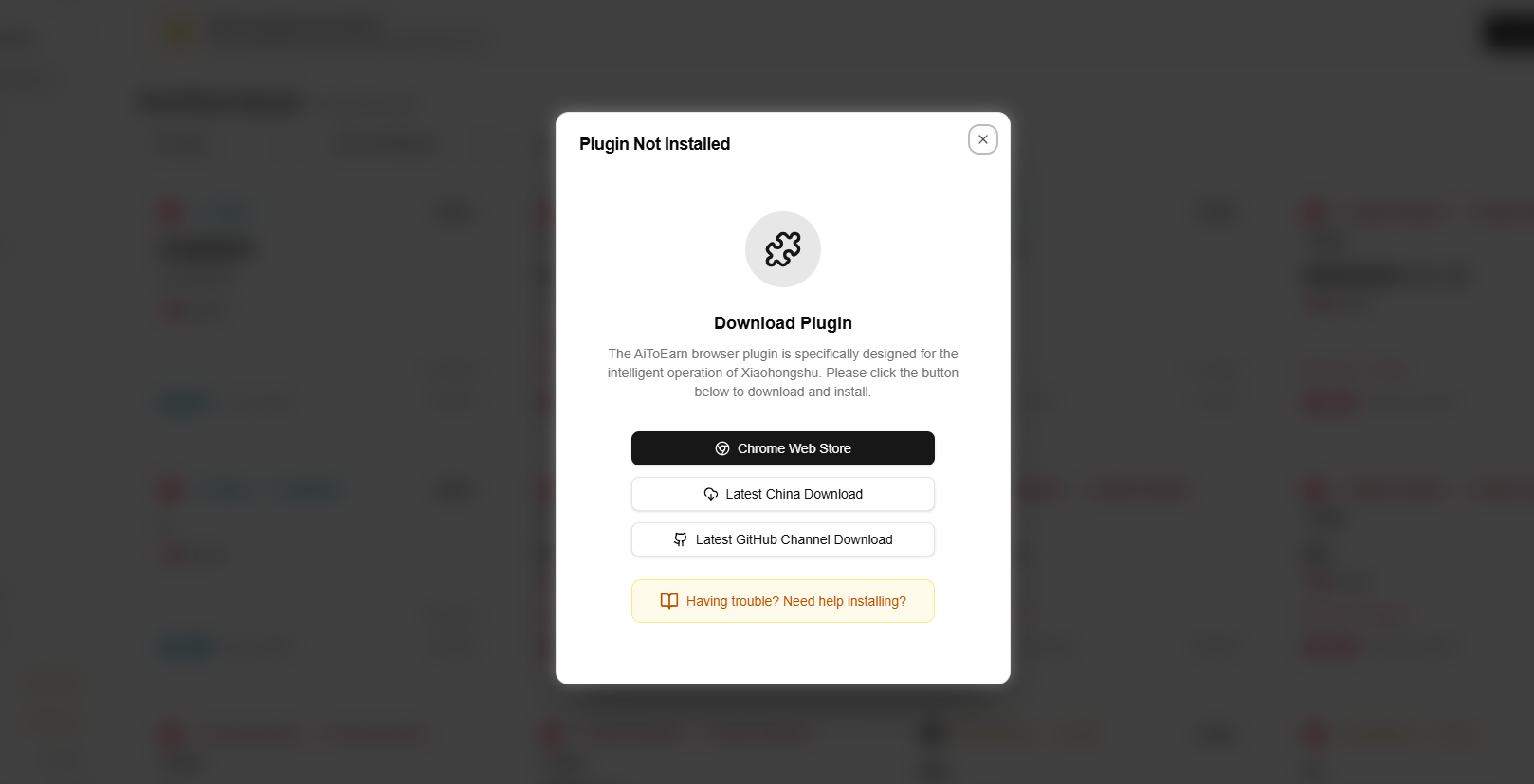
Download channel notes:
- Chrome Web Store: We recommend installing from the Chrome Web Store, but store reviews can take time. When new features are released early, the Chrome Web Store version may still be an older build. If you do not need the latest features immediately, you can wait for the review to finish. Chrome Web Store also updates plugins automatically. If you need the latest plugin package, use Latest China Download or Latest GitHub Channel Download.
- Latest GitHub Channel Download: This channel provides the newest plugin package. New browser-plugin updates are published here first, then submitted to the Chrome Web Store, which usually takes another 4-5 days for review.
- Latest China Download: Users in mainland China who cannot use the Chrome Web Store can download the latest plugin package from this channel.
Note: users who install from Latest China Download or Latest GitHub Channel Download will still receive Chrome Web Store auto-updates after review. If you need the update sooner, please seethe manual update guide.
수동 설치
For Latest GitHub Channel Download and Latest China Download
안내
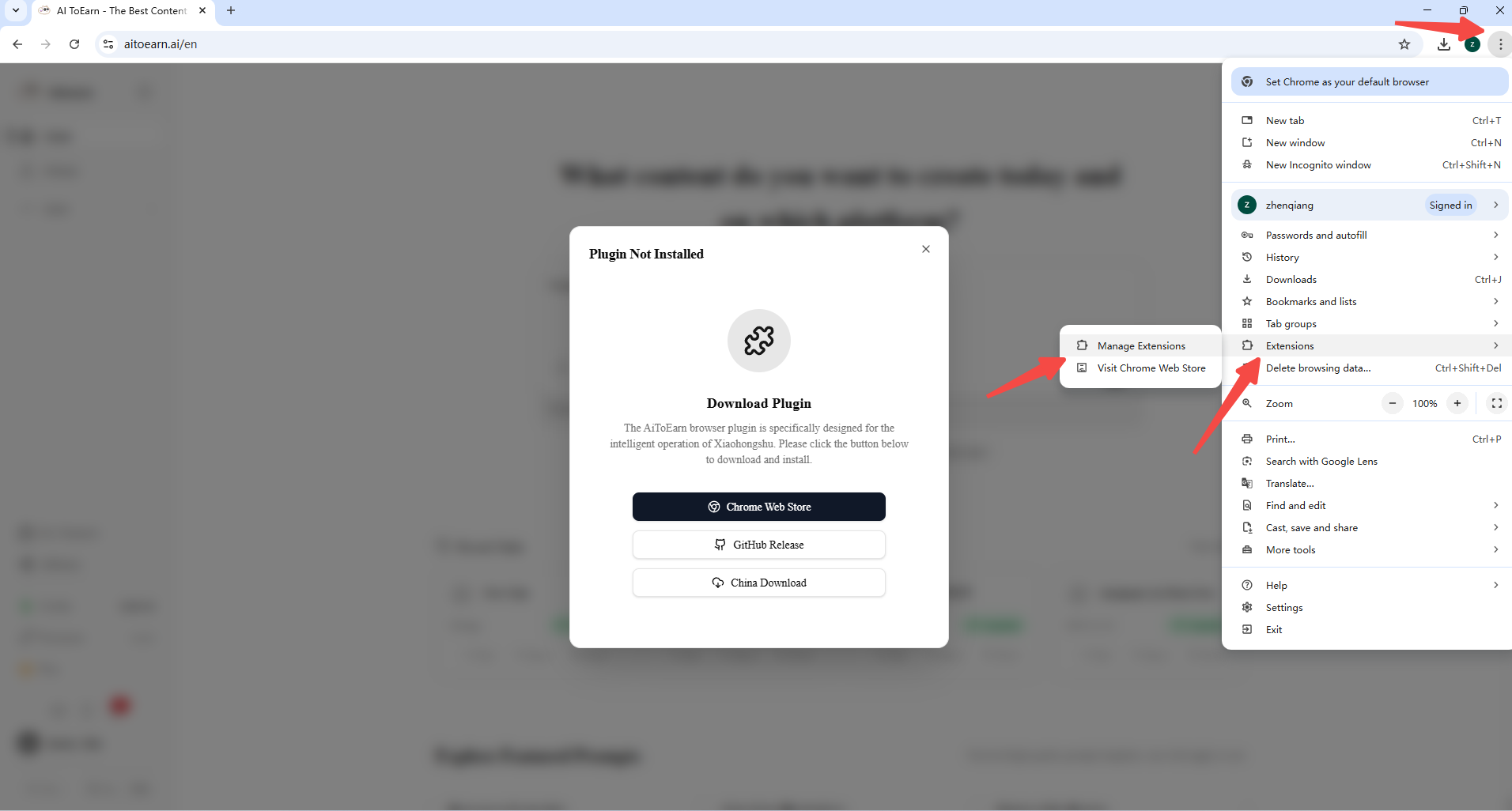
1확장 프로그램 관리 페이지 들어가기
브라우저 오른쪽 상단의 점 세 개 메뉴를 클릭하고 "확장 프로그램 관리" 페이지로 들어갑니다.
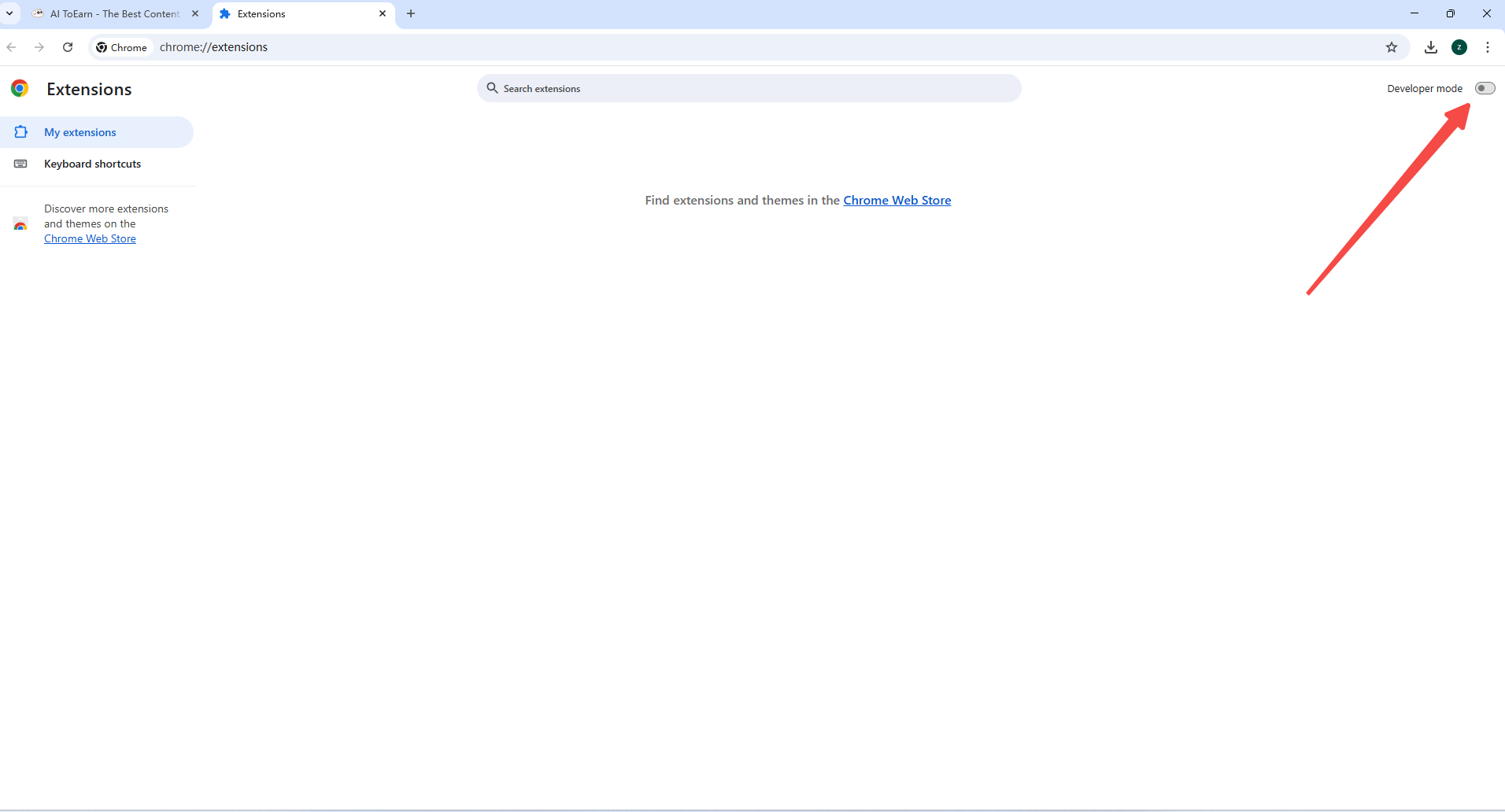
2개발자 모드 활성화
확장 프로그램 페이지의 오른쪽 상단에서 "개발자 모드"를 활성화합니다.
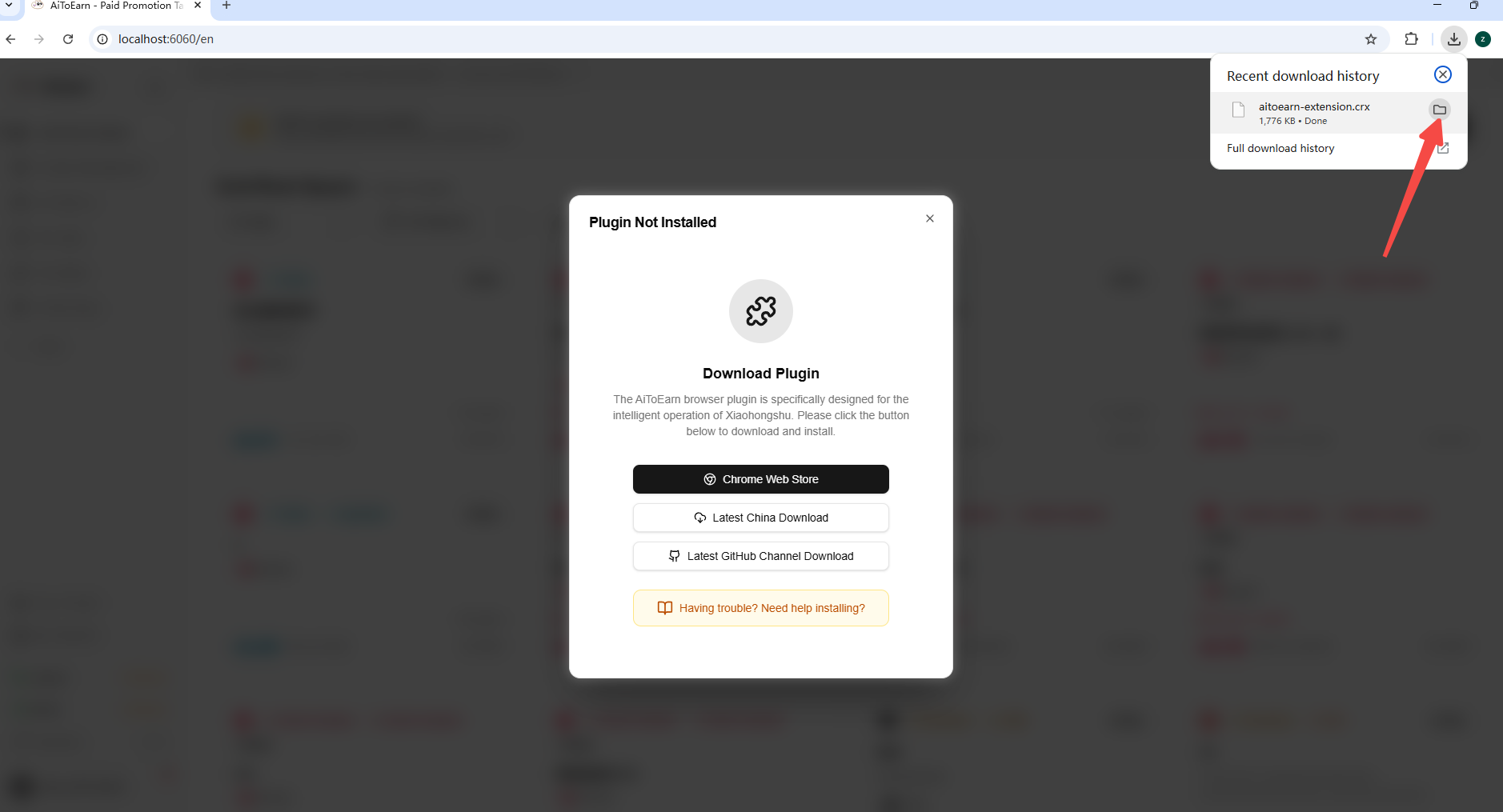
3Locate the Downloaded Package
Open your browser's download folder and find the downloaded .crx plugin package.
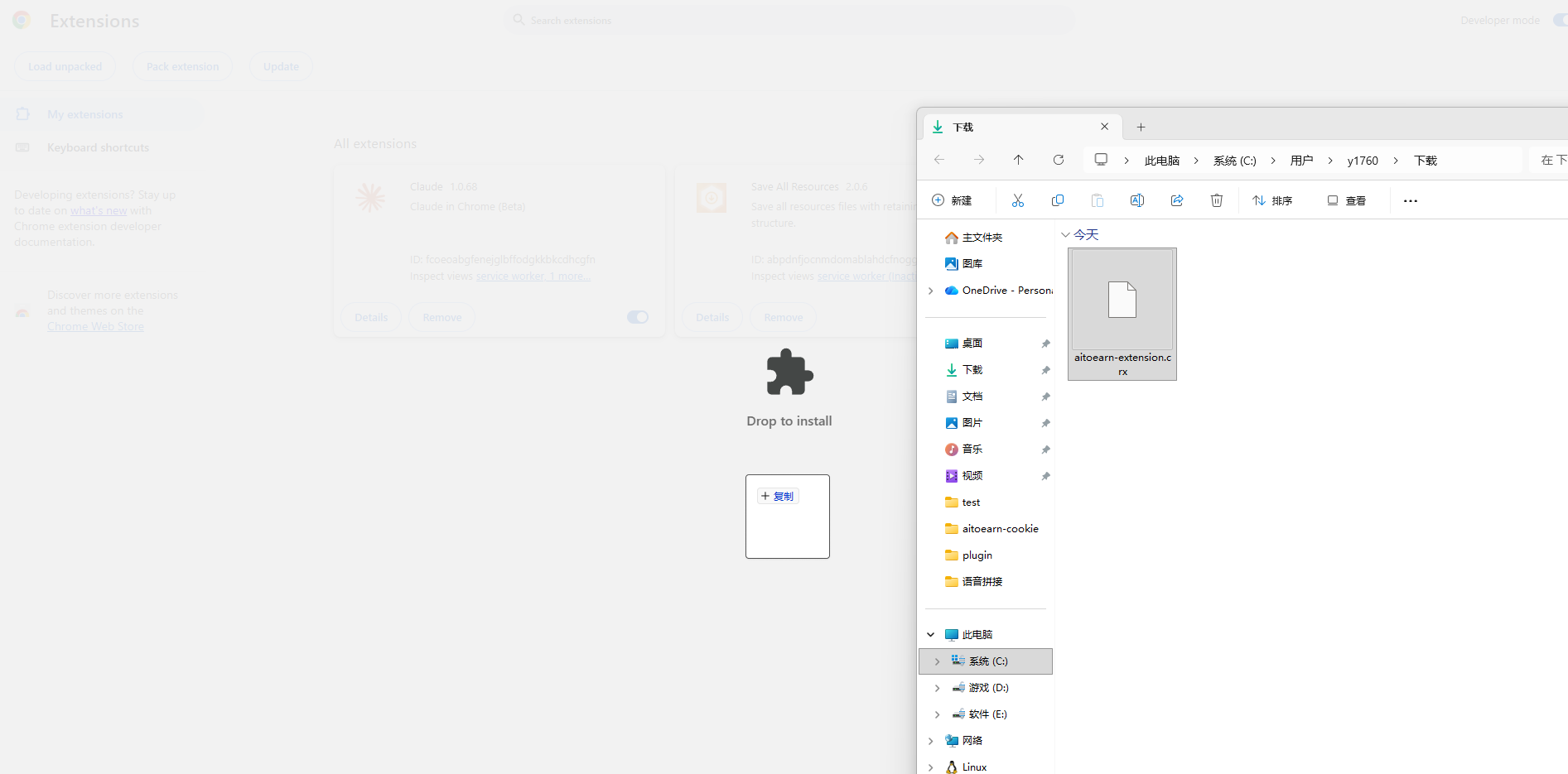
4Drag the Package into Extensions
Drag the .crx plugin package into the browser extensions area.
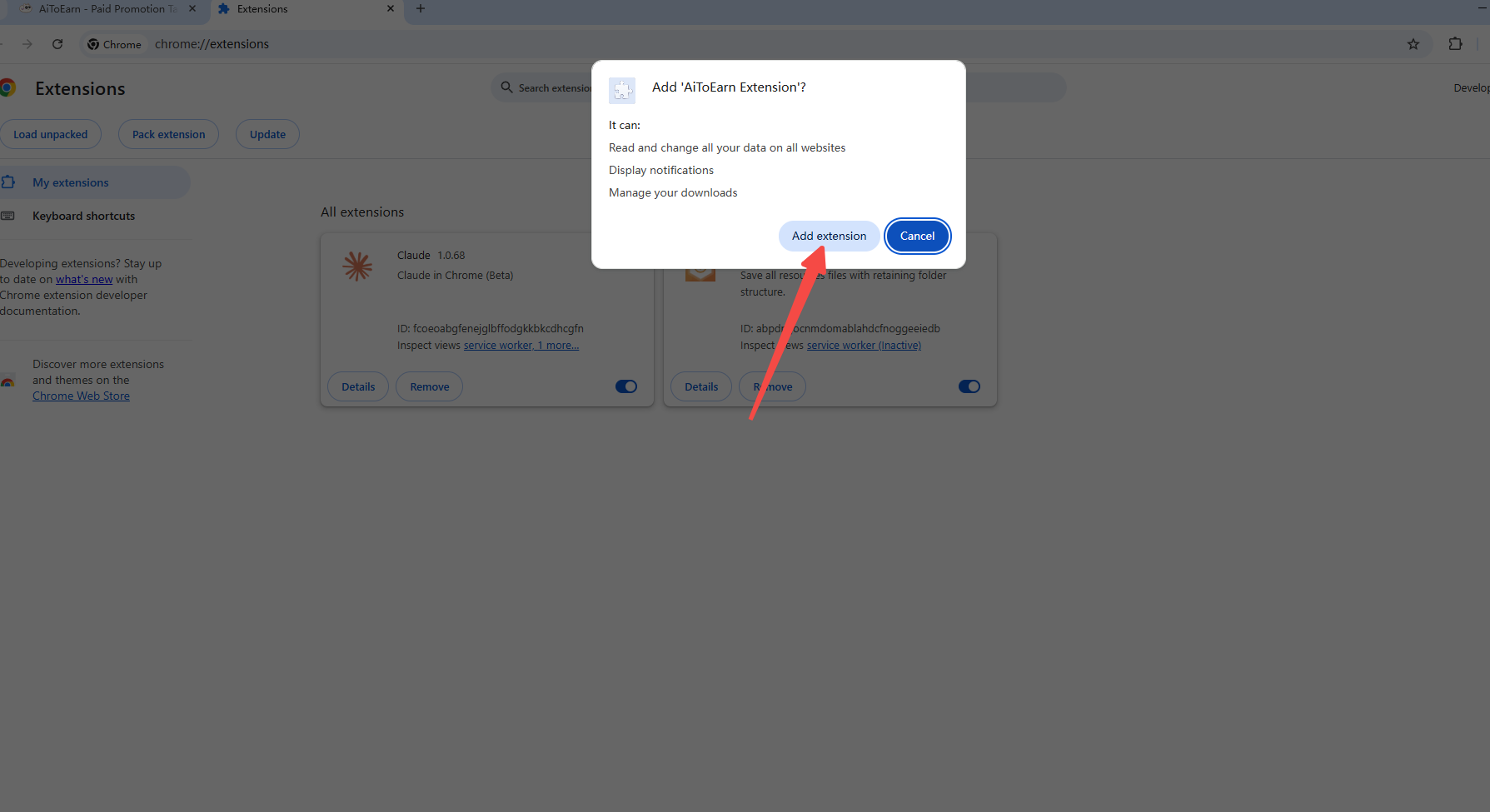
5Confirm Extension Installation
Click "Add extension" in the confirmation dialog to install the plugin.
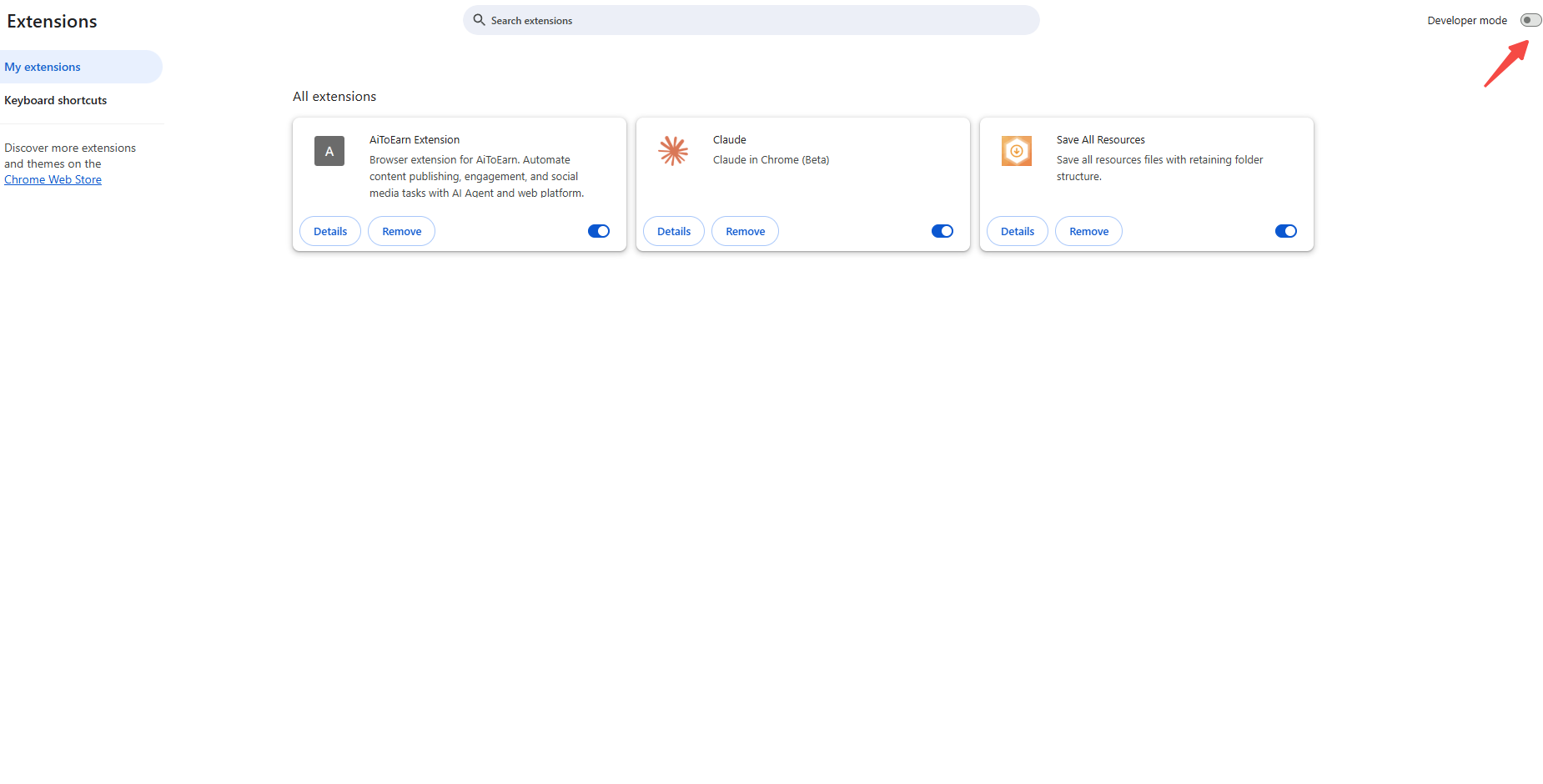
6Turn Off Developer Mode
After the installation is complete, you can turn off Developer mode.
Authorize Plugin
3단계: 설치 상태 확인
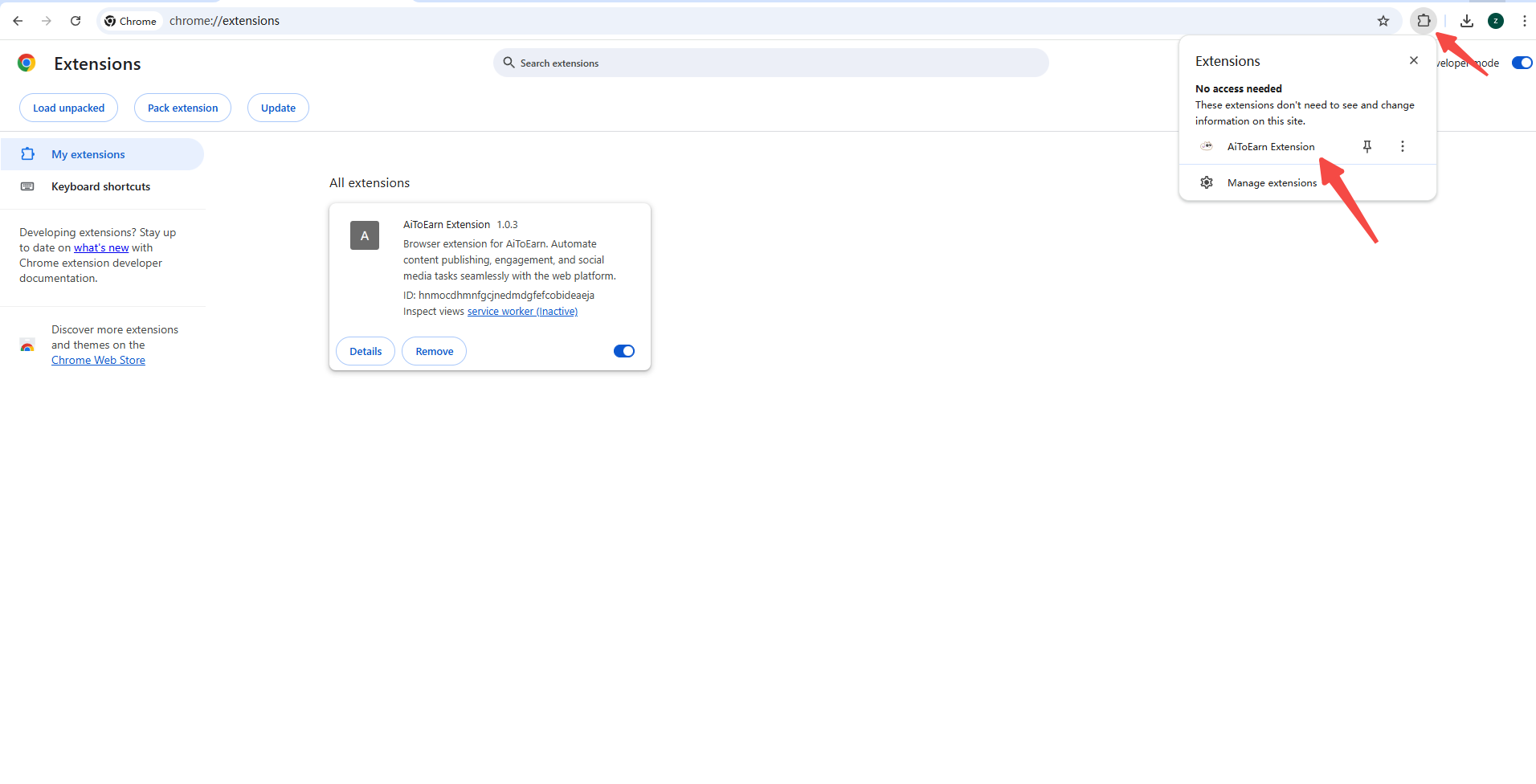
설치 후 브라우저의 확장 프로그램 버튼을 클릭하여 설치가 성공했는지 확인합니다.
4단계: 플러그인 인증
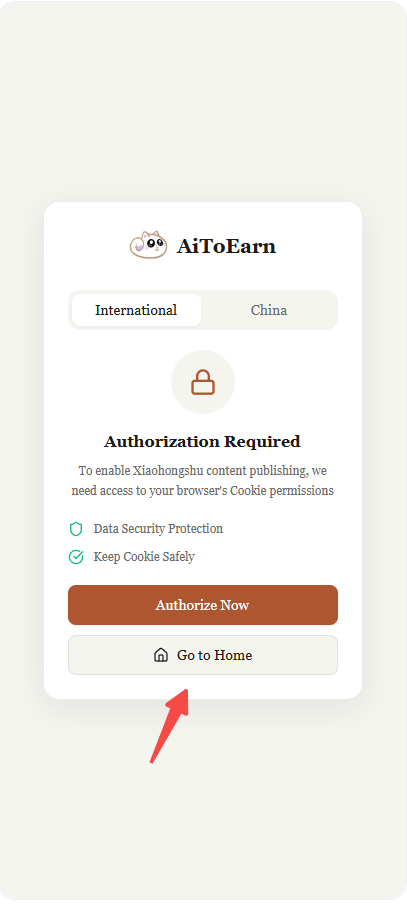
AiToEarn 홈페이지에 로그인하지 않은 경우, "Go to Home"을 클릭하여 AiToEarn 홈페이지로 이동하여 로그인하세요.
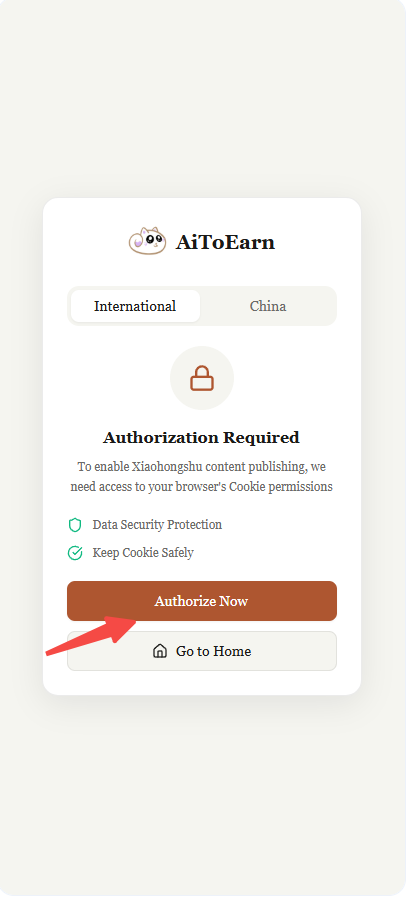
AiToEarn 홈페이지에 이미 로그인한 경우, "Authorize Now"를 클릭하여 인증하세요.
5단계: 플러그인 준비 확인
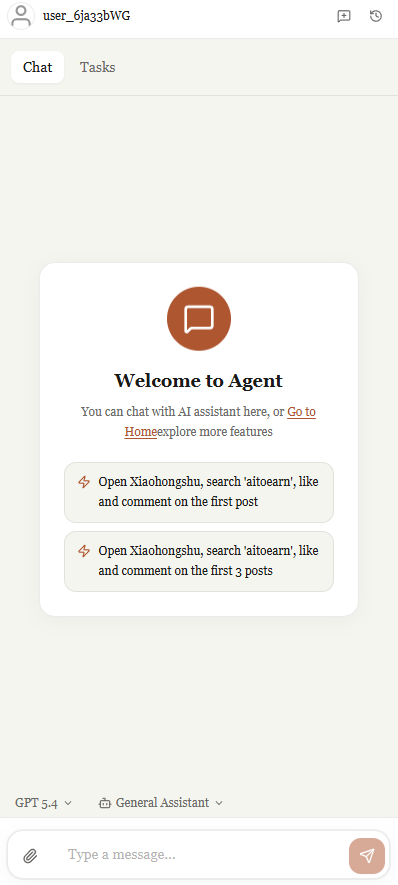
권한이 성공적으로 부여되었습니다. 다음으로 AiToEarn 플랫폼을 열고 페이지를 새로고침하면 플러그인이 준비된 것을 볼 수 있습니다. 클릭하여 상세를 확인하세요.
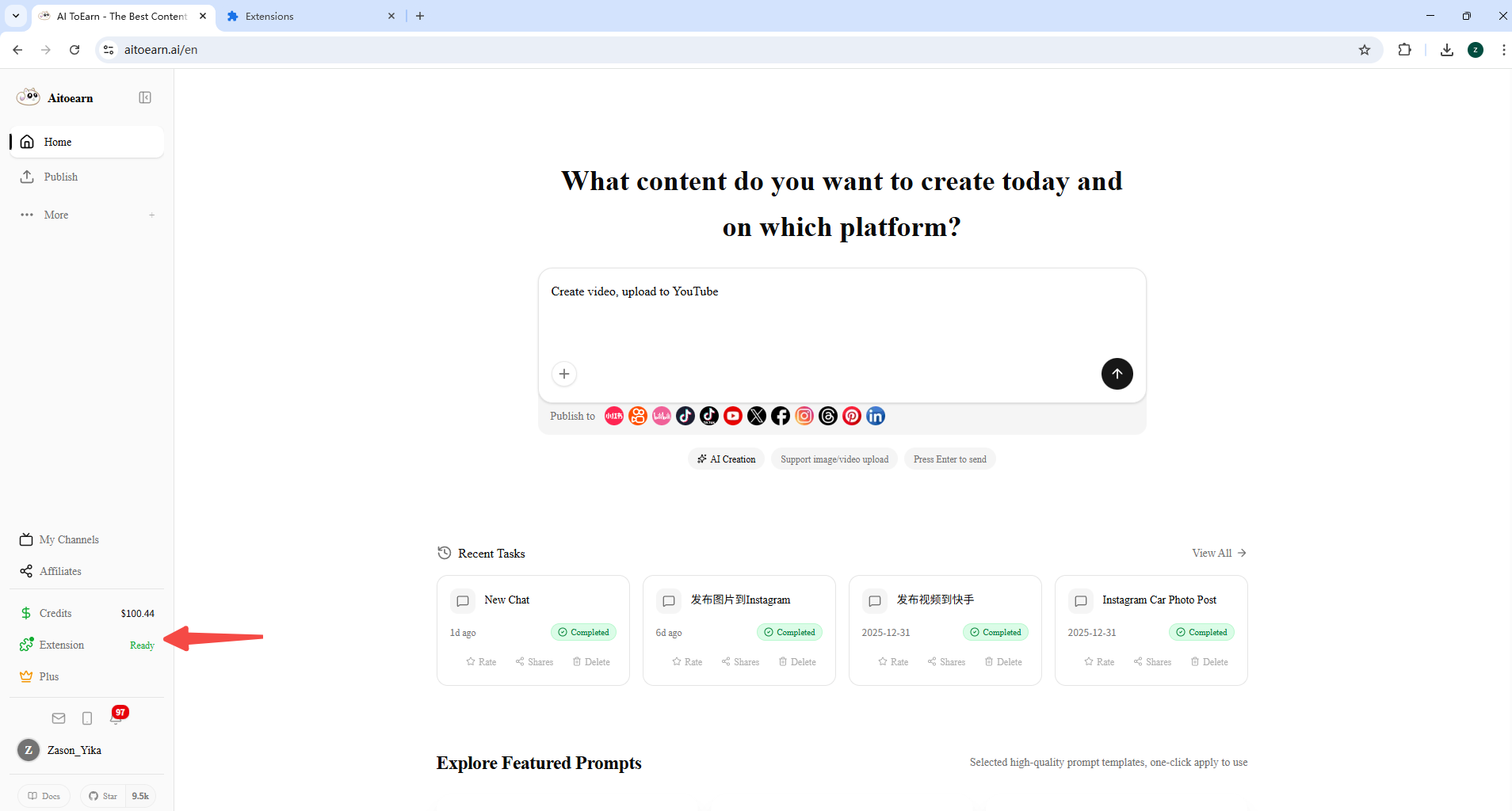
소셜 미디어 계정 로그인
6단계: 계정 정보 보기
"확장 프로그램" 버튼을 클릭하여 계정 로그인 상태를 확인하세요. 로그인되지 않음으로 표시되면 먼저 해당 소셜 미디어 플랫폼에 로그인해 주세요.
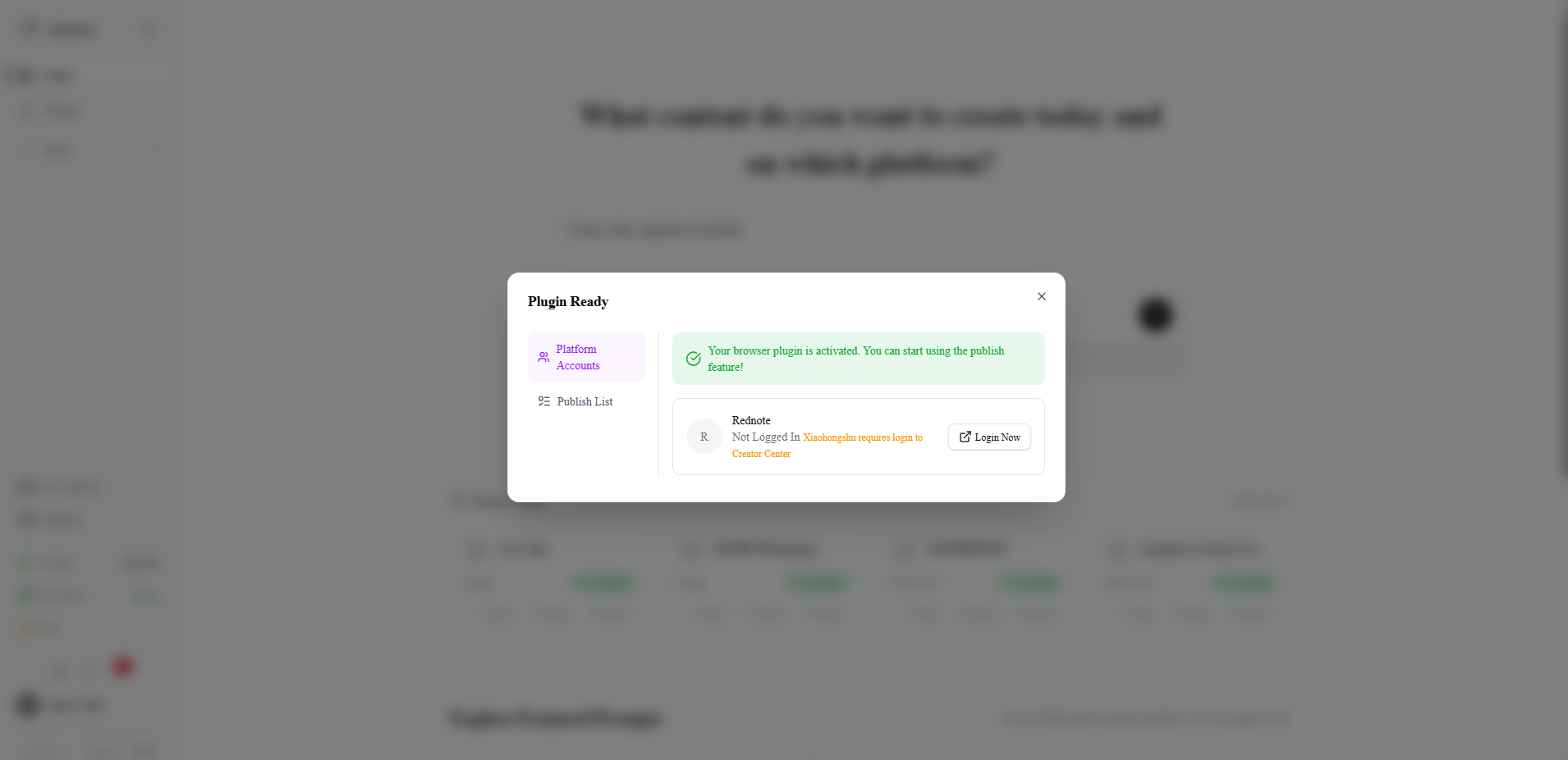
샤오홍슈 계정 로그인
"지금 로그인"을 클릭하여 샤오홍슈 페이지로 이동하여 로그인합니다. 로그인 후 크리에이터 센터에도 로그인해야 합니다.
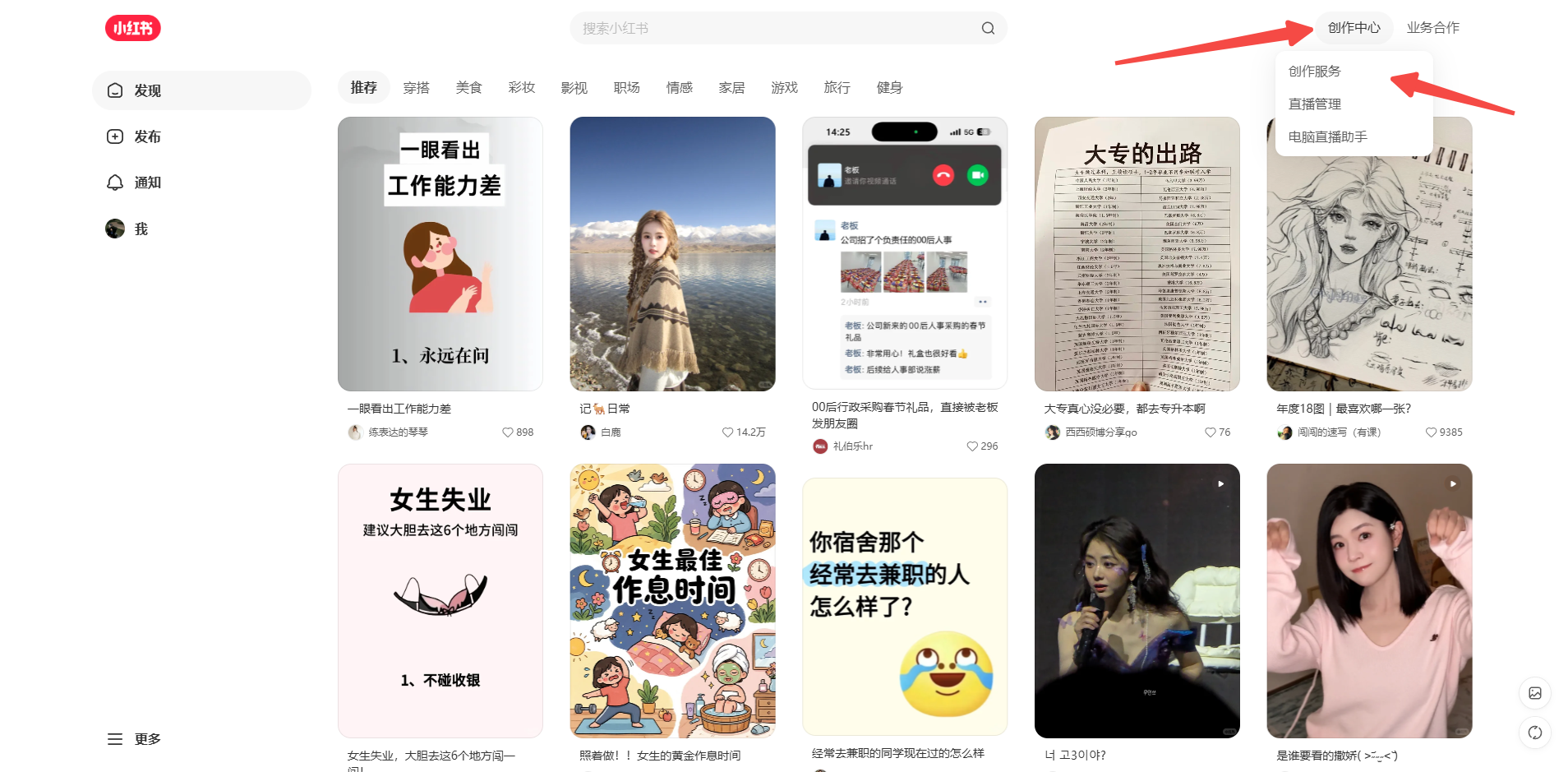
중요 안내
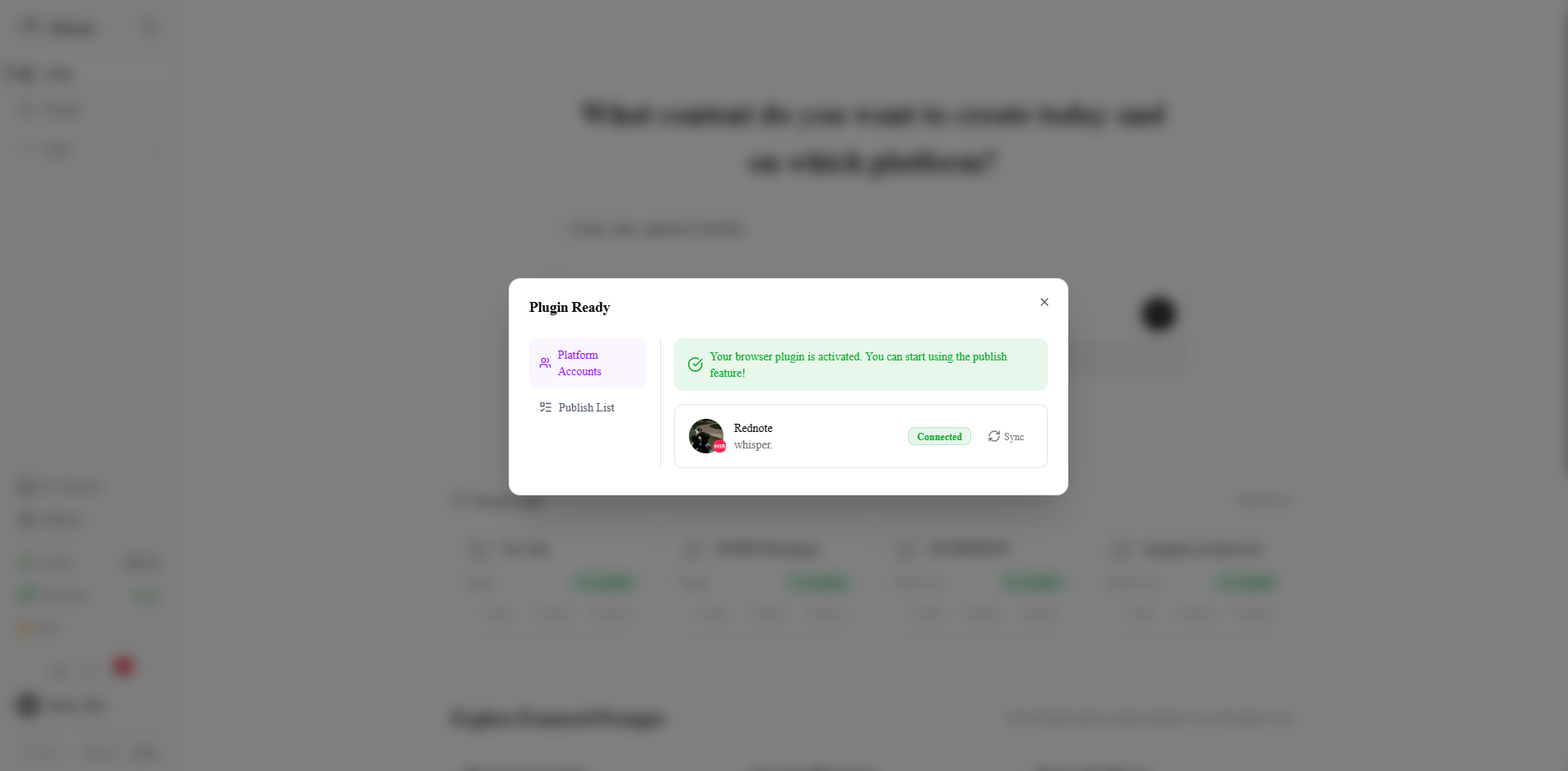
계정 동기화
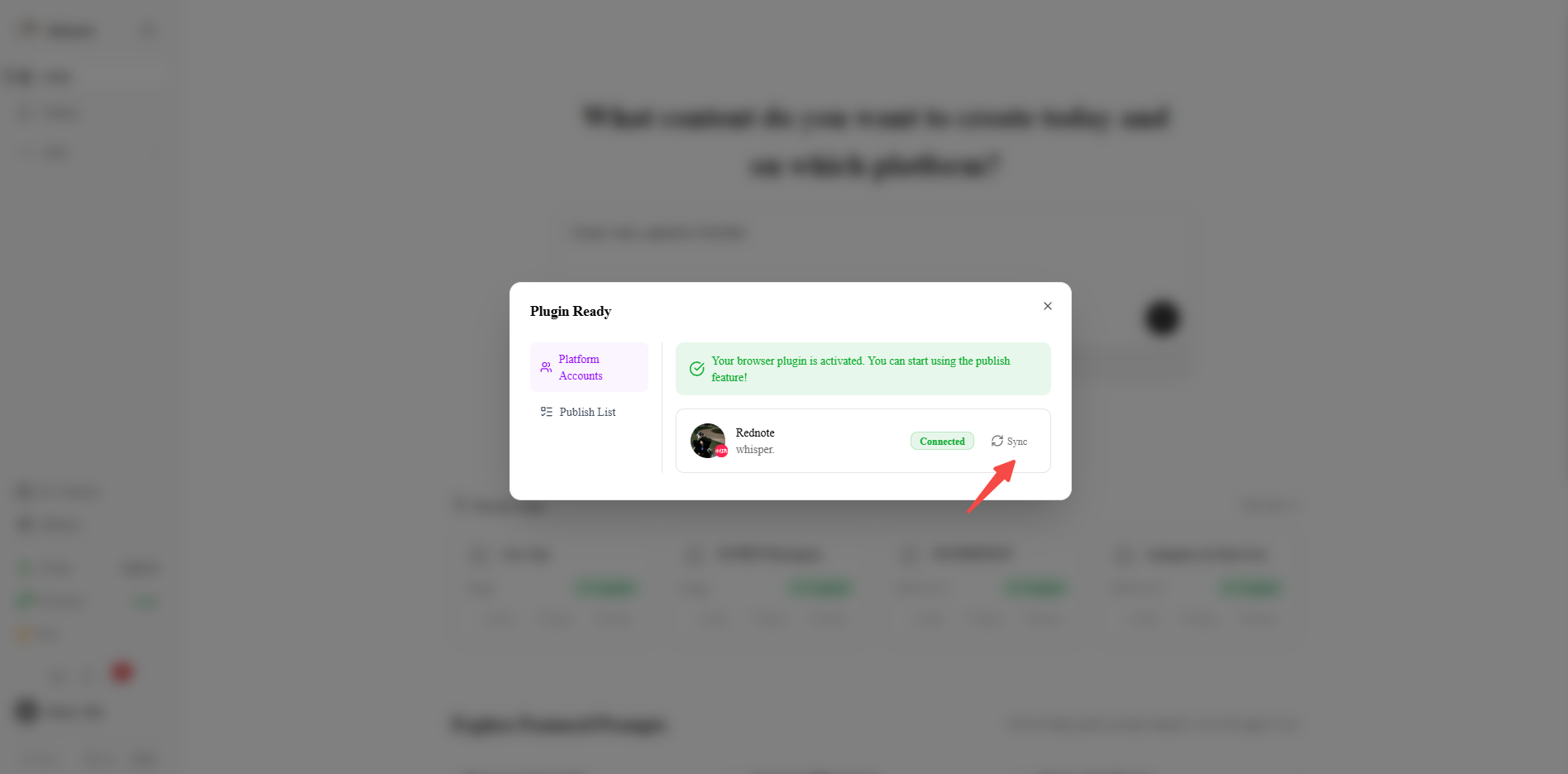
8단계: 계정 동기화
여기서 계정을 계정 관리에 동기화할 수 있습니다. [동기화] 버튼을 클릭하면 계정이 데이터베이스에 동기화됩니다.
동기화 결과 보기
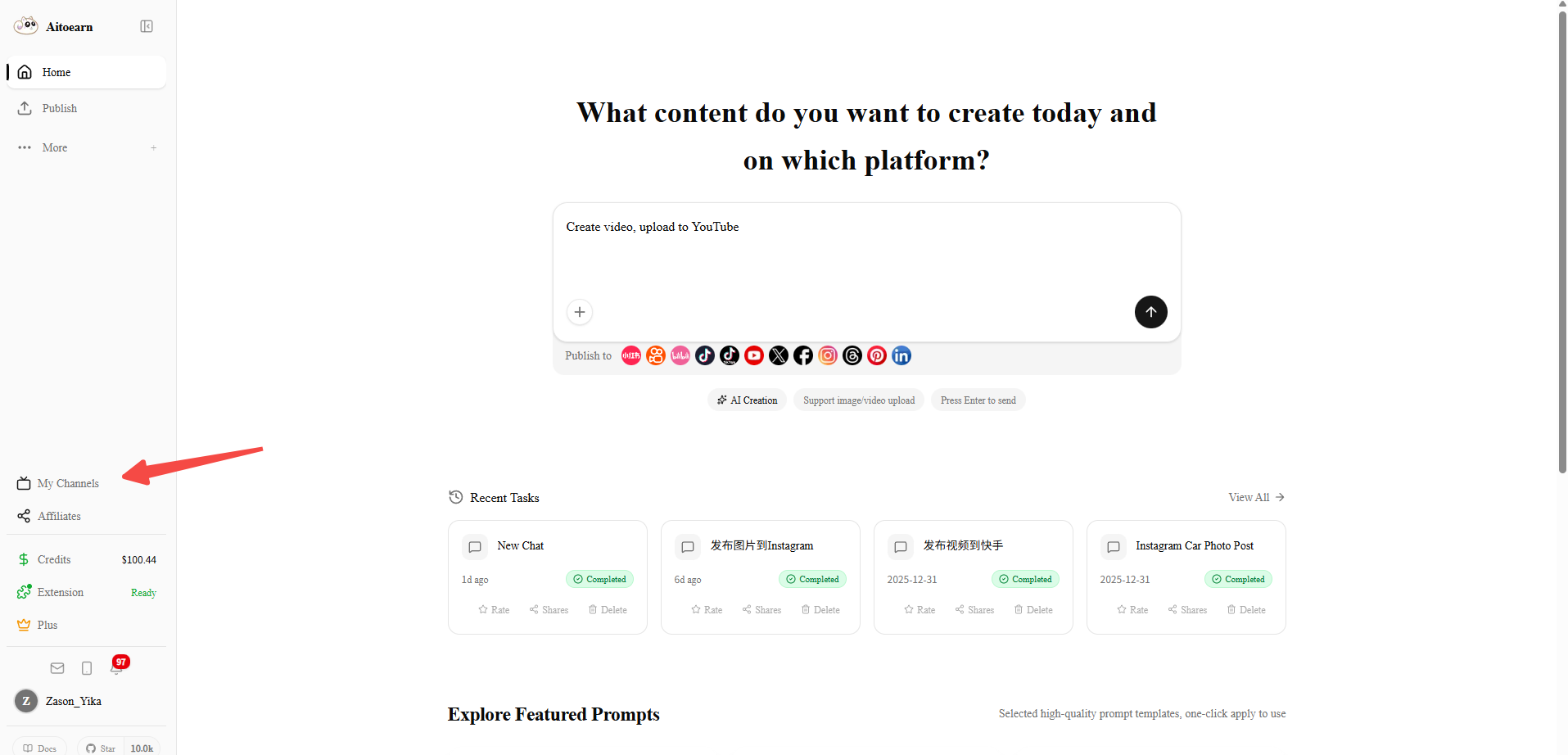
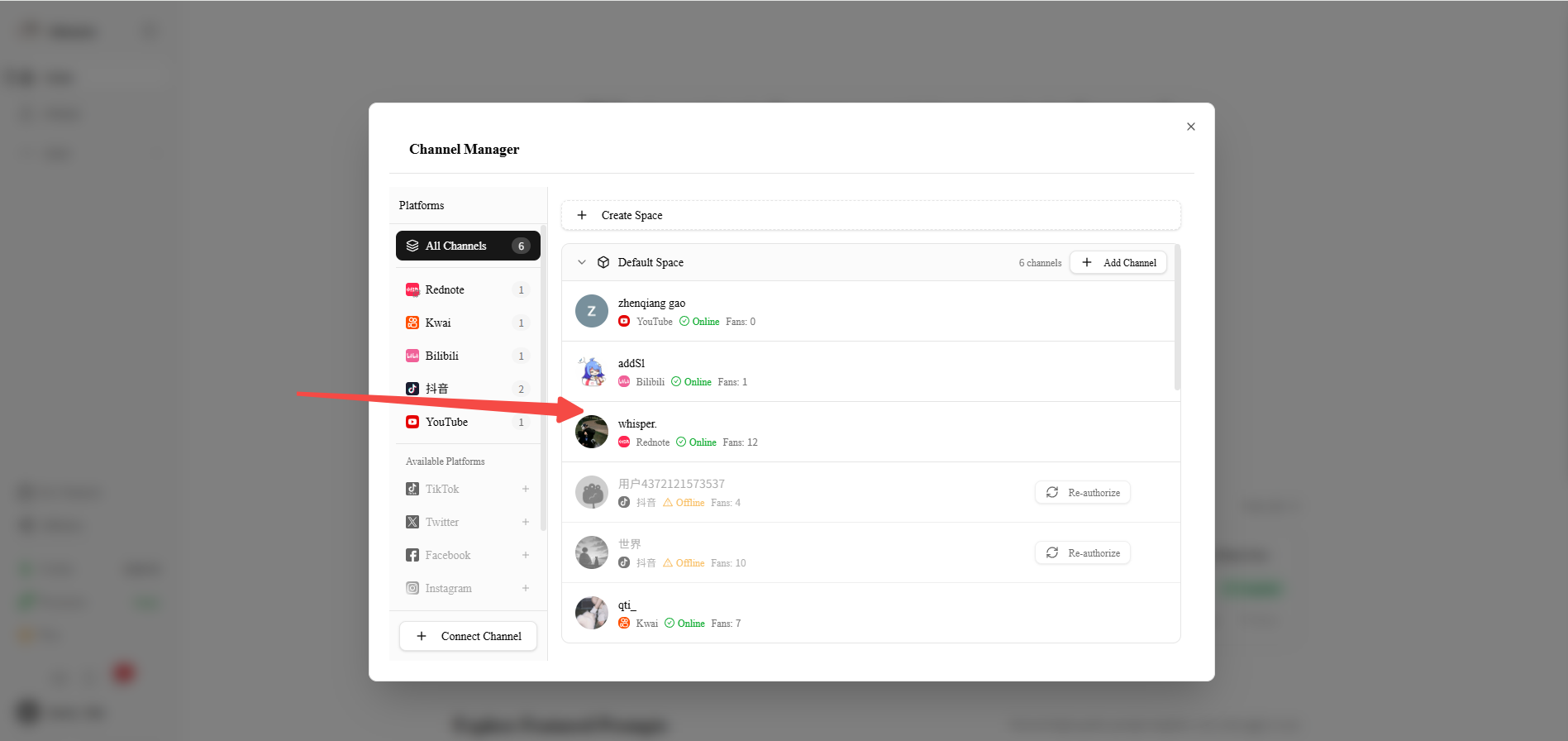
AiToEarn 홈페이지로 돌아가서 "내 채널"을 클릭하여 계정 관리 페이지로 들어갑니다.
완료
이제 AiToEarn 플랫폼을 정상적으로 사용할 수 있습니다!
자주 묻는 질문
Q:샤오홍슈에 로그인했는데 플러그인에서 여전히 로그인되지 않음으로 표시되는 이유는 무엇인가요?
A: 샤오홍슈 크리에이터 센터에 로그인하지 않았을 수 있습니다. 샤오홍슈 홈페이지에서 오른쪽 상단의 버튼을 클릭하여 샤오홍슈 크리에이터 센터에 빠르게 로그인하세요.